How to edit faceless YouTube videos that aren't low-effort
A faceless YouTube video tells its story without a presenter on camera, using a voiceover over B-roll, screen recordings, animation, gameplay or archive footage. Editing one well means cutting to the voiceover, changing the picture with purpose every few seconds, keeping one consistent look, and using only footage and music you are licensed to use. Done that way, it is original work, not the mass-produced content YouTube refuses to monetize.
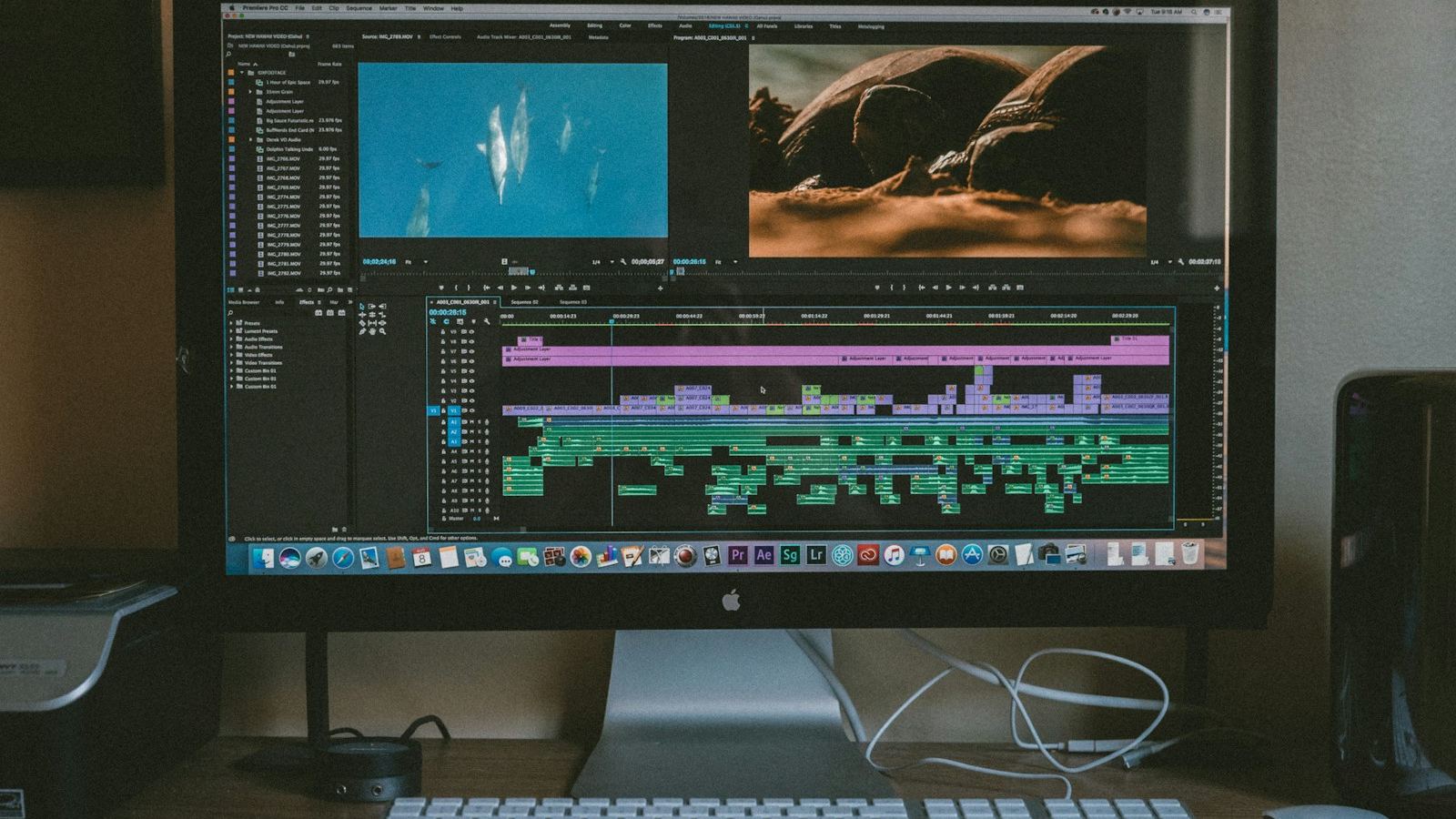
"Faceless YouTube" gets sold as a shortcut: paste a script into a voice generator, drop stock clips on top, upload every day. I edit videos for a living, and I can tell you that version is the hardest kind of video to make watchable. With no presenter, there is no face to hold attention and no personality to forgive a slow patch. Every second of attention has to come from the edit. This guide covers how I approach it.
What is a faceless YouTube video?
It is any video where the creator never appears on camera. Common formats:
- Voiceover and B-roll. Narration over stock, archive or self-shot footage. Explainers, history, finance and list videos.
- Screen recordings. Software tutorials, walkthroughs and reviews where the screen is the subject.
- Animation and motion graphics. Illustrated or kinetic-type videos, from simple 2D to full character animation.
- Gameplay. Commentary, guides or stories over footage from games.
- Documentary-style. Researched narratives built from archive footage, photos, maps, documents and interviews.
The format doesn't decide whether a video is good. A documentary can be lazy and a screen recording can be excellent. What decides it is the thought that went into the script and the edit.
Can a faceless YouTube channel be monetized?
YouTube's channel monetization policies don't require you to show your face. What they check is originality. On 15 July 2025 YouTube renamed its "repetitious content" policy to inauthentic content. The page lists, as not allowed, "image slideshows, templated storylines, or scrolling text with minimal or no narrative, commentary, or educational value" and "AI-generated content made with generic or unoriginal templates giving the impression of mass production". Using the same intro and outro is fine, as long as the bulk of each video is different.
The same page covers reused content: material repurposed from YouTube or elsewhere without significant original commentary or substantive modifications. YouTube's test is whether viewers can tell there is a meaningful difference between the original and your video. Critical reviews, and edited footage where you add a storyline and commentary, are allowed. Clips from a show edited together with little or no narrative, and content uploaded many times by other creators, are not.
For an editor, that is a clear brief. The edit has to show judgment that a template can't.
How do you edit a faceless video so it isn't low-effort?
Start from the script, not the footage
A faceless video is script-led. Before I touch footage, I read the script and mark its structure: the hook, the promise, each section and the turn into the payoff. Then I note what the viewer should see on every line. Lines that can't be shown are a warning sign, and I raise them with the creator before editing, not after.
Pace the cut to the voiceover
The voiceover is your A-roll. Clean it first: cut breaths that sound like gasps, tighten long pauses, and keep the pauses that let a point land. Then cut picture on the voice. New ideas get new shots, and cuts fall on stressed words or at the end of a phrase, not at random. For more on finding where viewers drop off, see how to improve YouTube audience retention.
Change the picture with a reason
With no face on screen, a static shot becomes dead air fast. I aim for a visual change every few seconds, but every change has to mean something: a new shot that shows the current line, a push-in to emphasize a word, a highlighted number, a cut to a map. Random clips that only loosely match the narration are the most obvious sign of a low-effort video.
Use motion graphics, maps and text
Graphics carry the information a presenter would otherwise point at. Animated maps show where and how far. Timelines show when. Charts must use real, sourced numbers, and on-screen text should be short enough to read twice before it leaves. Build these as reusable templates so they look consistent, while the content inside them changes every video.
Build the sound
Sound does a lot of the work a face would. Music sets the mood and should change with the sections, ducking under the voice. Sound effects give motion graphics weight: a soft whoosh on a transition, a click on a text pop, room tone under archive footage. Mix so the voice is always clear on phone speakers.
Keep one visual identity
Pick fonts, colours, a caption style, a lower-third design and a grade, then keep them. With no face to recognize, a consistent identity is what makes the channel recognizable in the feed.
For the full process behind any edit, my step-by-step guide to editing a YouTube video goes deeper.
Where should faceless footage and music come from?
- Licensed stock. Paid or free stock libraries are fine, but read the licence for every source. Terms differ, and some clips restrict use of people, brands or logos. Keep a log of where each clip came from.
- Licensed music. Use a music library with a licence that covers YouTube, or the YouTube Audio Library. "Royalty-free" doesn't automatically mean free to use on YouTube.
- Footage you or the creator shot. A few original shots go a long way.
- Never reupload other people's work. Ripping clips from other channels, films or TV without permission risks copyright claims and strikes, and fails the reused content test.
Content ID is YouTube's automated system that scans uploads against files submitted by copyright owners. On a match, the owner's settings decide what happens: the video can be blocked, monetized with ads, or tracked. If a claim lands on material you licensed, your licence records are what you dispute it with, so keep them organized.
Can you use AI voices and AI visuals?
Yes, but honestly. YouTube's page on disclosing altered or synthetic content asks creators to disclose realistic AI-generated or altered content. Its examples that need disclosure include AI-generated music, AI-generated extra footage of a real place, and making it appear someone gave advice they didn't give. Examples that don't need disclosure include clearly unrealistic content, AI help with a script, thumbnail or title, caption creation, voice or audio repair, cloning your own voice for voiceovers or dubs, and gameplay footage from video games.
You disclose in YouTube Studio during upload, in the Attributes section under "AI use". YouTube then adds a label, which can appear in the expanded description or, for photorealistic content, in the player. The page says creators who consistently fail to disclose may face penalties, including removal of content or suspension from the YouTube Partner Program.
Disclosure is a separate question from monetization. A properly labelled AI video can still fail the inauthentic content policy if it feels mass-produced. In practice, an AI voice reading a generic script over stock clips is exactly the pattern to avoid. I cover where AI genuinely helps in AI video editing in 2026: what actually saves time.
What does a faceless editing workflow look like?
- Read the final script and mark the structure, hook and payoff.
- Clean and edit the voiceover until its rhythm is right.
- Build a visual plan: what the viewer sees on each line.
- Source licensed footage, music and references, and log the licences.
- Lay B-roll and screen recordings to the voice, cutting on meaning.
- Add motion graphics, maps, text and captions from the channel's templates.
- Design sound: music edits, effects and ambience, then mix.
- Grade for one consistent look.
- Watch the whole video at normal speed with fresh eyes and cut anything that drags.
- Export, then complete the AI disclosure honestly at upload.
What should you check before publishing?
- The first seconds deliver the promise of the title and thumbnail.
- Every visual relates to the line it sits under.
- No shot holds long enough to feel static without a reason.
- All on-screen text and numbers are correct and readable.
- Every clip and music track has a licence on file.
- The voice is clear over music on small speakers.
- Fonts, colours and captions match the channel's identity.
- The AI use setting reflects what is actually in the video.
What mistakes make faceless videos look low-effort?
- Literal stock matching. Saying "money" and cutting to falling dollar bills. Show the specific thing instead.
- One clip per sentence, no matter what. Rhythm comes from variety, not a fixed interval.
- Flat, unedited AI narration. Robotic pacing with no pauses or emphasis loses viewers quickly.
- Wall-to-wall music. One track at one level for ten minutes makes everything feel the same.
- Identical videos. Same structure, same clips, same graphics with new words. This is what the inauthentic content policy describes.
- Unlicensed clips. Borrowed footage from other channels, films or TV.
Faceless YouTube editing FAQ
Can a faceless YouTube channel be monetized?
YouTube's channel monetization policies do not require you to show your face. They look at whether the content is original and authentic. Templated, mass-produced videos and content reused from other sources without significant original commentary or substantive changes are not eligible, so the editing and the script have to add real value.
Do I have to disclose an AI voiceover on YouTube?
It depends on whether the result is realistic and could mislead. YouTube says cloning your own voice for voiceovers or dubs does not need disclosure, but making a real person appear to say something they did not say does. If an AI voice could be taken for a real, identifiable person, select Yes under AI use when you upload.
Can I use clips from other YouTube videos in a faceless video?
Only with permission or a licence, and even then reused clips need a purpose. YouTube allows reused content in the Partner Program when viewers can tell there is a meaningful difference between the original and your video, such as a critical review or commentary. Clips stitched together with little or no narrative are not eligible.
Is free stock footage safe to use in faceless videos?
Usually, but read the licence for every source, because terms differ between sites and some clips have restrictions on people, brands or commercial use. Keep a record of where each clip came from. Free footage that thousands of other channels also use will not make your video distinctive on its own.
Does Pacing House write scripts or run faceless channels?
No. Pacing House is a solo video editor. You bring the script and voiceover, or the recorded footage, and I handle the edit: structure, pacing, B-roll, motion graphics, sound design and captions. I do not run automation channels or write scripts.
If you have the script and voiceover and want the edit handled, that is what I do for YouTube channels. You can start with a single $95 paid test cut, and retainers start from $1,100 a month for regular uploads.